Attributs des produits
(Options disponibles au catalogue)
Each product may contain one or more options.
If necessary, a price can be defined for each option, it will be added to the basic price of the product.
|
Enter new options
Select the Catalog menu "Product Attributes"

|
1-
define
the name options
For example, size and color


|
2 - Value Options
Define the possible values for each option
Examples:


__________________________________
Sort Method
If the sort value = 0 the sorting is done on "option value" 1 ..... 9 and s. .... z.
If a value is given to "sort" is this value that sorting is done.


|
Définir les options qui seront affichées au catalogue

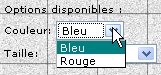
When editing a product, the options that were set appear at the bottom of the page just before the "preview " button.

For each book, simply check the desired options.
If the option is priced pr = + and put option price, that price will be added to the base value of the product.
 |
 |
 |
| |
|
A price was entered, for the size in XXL.
6.22 will be added to the basic price of the product. |
|
|
